Some articles have attachments, such as PDFs, Word Docs, and more. Printing these is simple: download them, then print it like you would any other PDF or Word Doc.
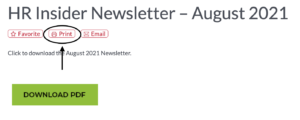
However, you may want to print an article that does not contain an attachment. This is also simple:
At the top of every article, checklist, etc. is a printer icon, clicking on this icon will allow you to print a plain text version of the article, formatted especially for printing.
Was this article helpful?
That’s Great!
Thank you for your feedback
Sorry! We couldn't be helpful
Thank you for your feedback
Feedback sent
We appreciate your effort and will try to fix the article